Typed in the wrong language?
Fixed in one tap.
Semek notices when you type Hebrew on an English keyboard (or the other way round), shows the corrected text, and replaces it when you double-tap Shift. It also polishes your writing and fills and signs PDFs.
Add to ChromeSee what it does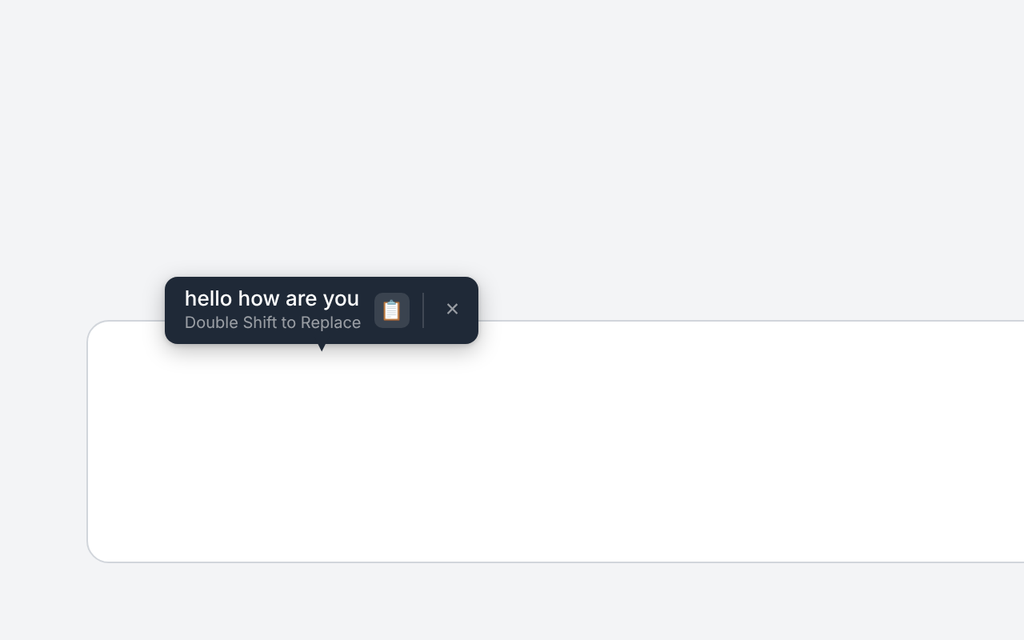
Three tools, one small extension
Each can be switched on or off from the toolbar popup.
Wrong-language detection
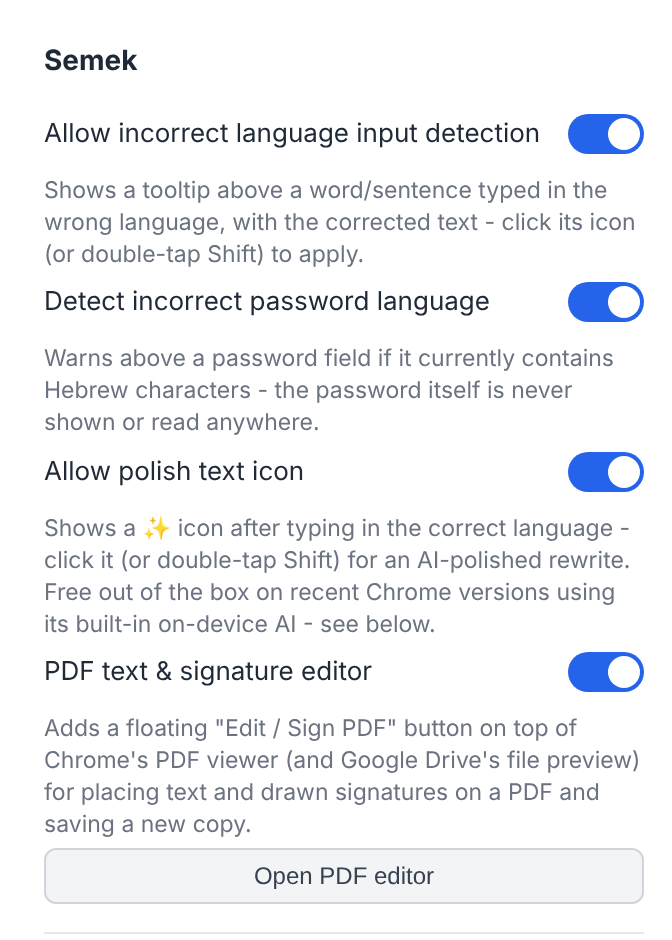
Start typing with the wrong layout active and a tooltip appears above your text with what you meant to write. Click it, or double-tap Shift, and the text is replaced in place. Works both ways between Hebrew and English, in ordinary text boxes and rich editors, and can warn you when a password field is in the wrong language.
PDF text and signature editor
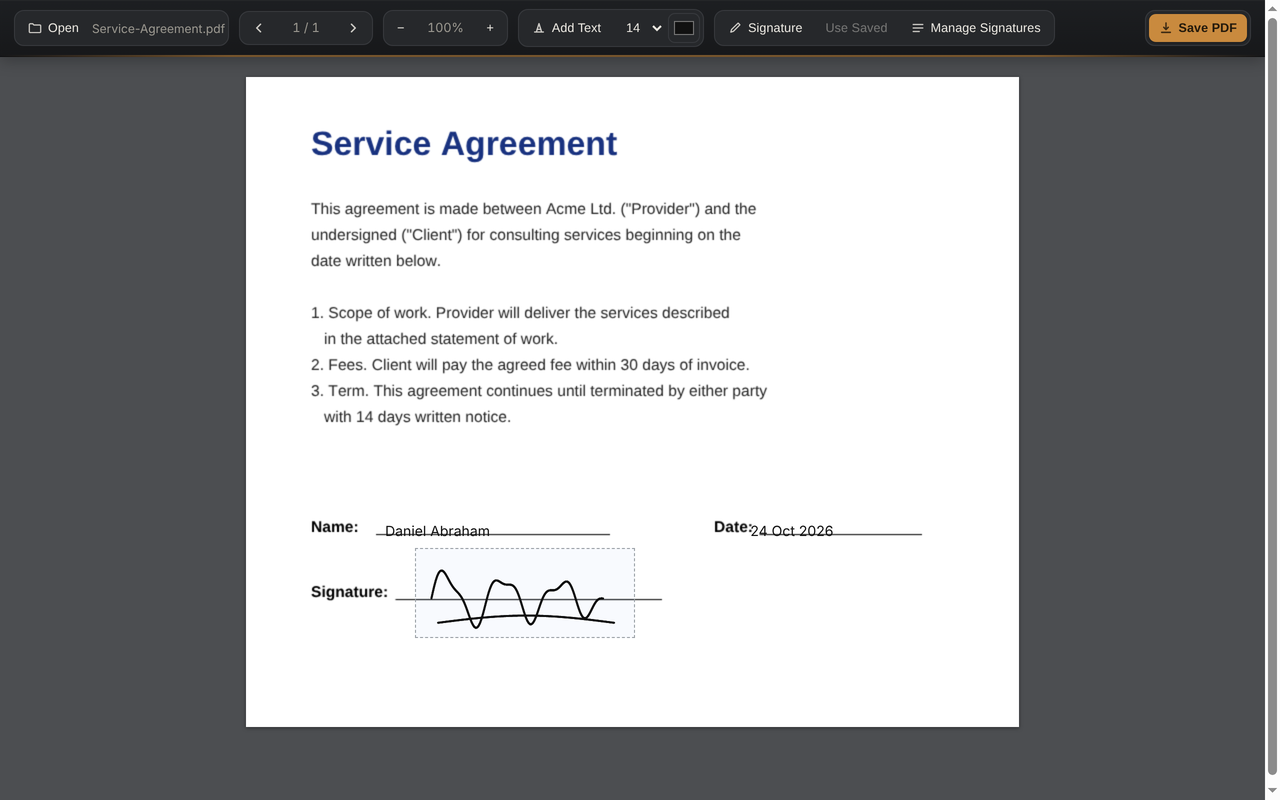
Open any PDF in Chrome, tap “Edit / Sign PDF”, drop text anywhere, draw your signature with the mouse or trackpad, and save a new copy. Signatures can be saved for reuse. Everything happens inside your browser; the file never leaves your computer.
Optional AI polish
After you type, a small sparkle icon (or Alt/Option+H) rewrites your text more clearly. It uses Chrome’s free on-device AI where available; otherwise you can add your own Anthropic, OpenAI or Groq key. Nothing is sent until you ask.
How it works
No setup, no account.
1. Install
Add Semek to Chrome. It starts working on every page right away.
2. Type as usual
If a word comes out in the wrong layout, a tooltip shows the fix.
3. Double-tap Shift
The text is replaced. Mac “dropped Shift” capitals are recovered too.
Private by design
No accounts, no analytics, no ads, no servers.
On-device
Language detection and the PDF editor run entirely in your browser.
You decide
AI polish only sends text when you click it, and only to a provider you chose.
Passwords safe
Semek never reads or stores what is in a password field.